March 8, 2026
The Ultimate Guide to AI Product Photography
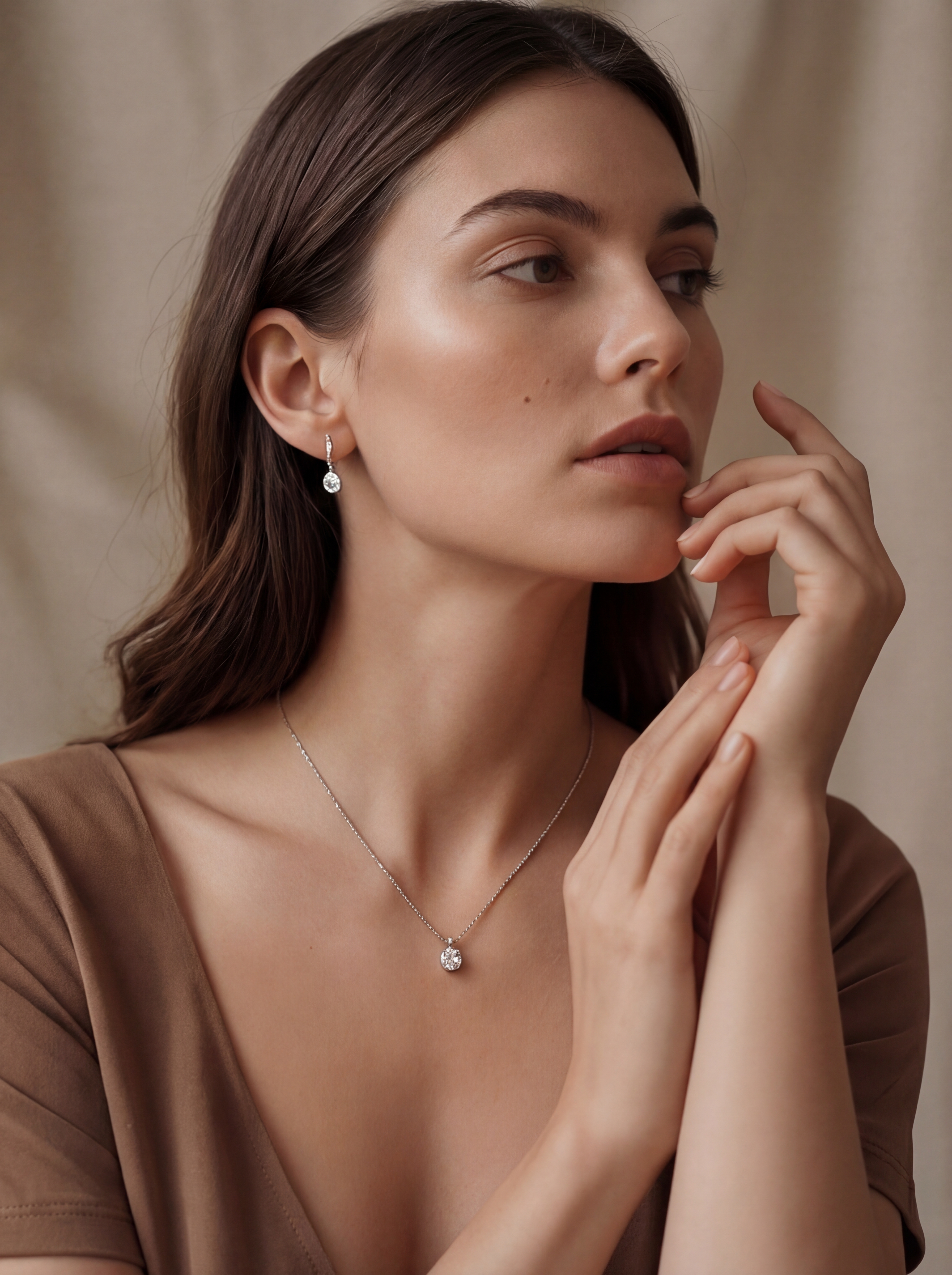
Product photography has always been one of the most expensive parts of running an e-commerce business. A single lifestyle shoot — studio rental, photographer, stylist, post-production — can cost thousands and take weeks. AI product photography compresses that workflow into minutes. You upload a photo of your product, the AI isolates it from its background, and then generates a new scene around it: a marble countertop, a sunlit kitchen, a model wearing your jewelry. The output is a composited image that looks like it was shot in a professional studio.
This guide covers how the technology actually works, which product categories get the most value from it, how to get the best results, and where the limits are.
How AI Product Photography Works
The process follows a consistent pipeline regardless of which tool you use. First, the product is separated from its original background using a segmentation model. This is the background removal step — the AI identifies the product's edges, handles transparency and fine details like hair or mesh fabric, and produces a clean cutout. If you just need cutouts for white-background listings, you can stop here. Flyshot offers a free background removal tool that handles this step on its own.
The second stage is where things get interesting. AI scene generation takes that isolated product and places it into a new environment. The generation model analyzes the product's geometry, surface materials, and lighting to produce a scene where shadows fall correctly, reflections behave naturally, and the product looks like it belongs. You're not pasting a cutout onto a stock photo — the AI renders a new image where product and environment are coherent.
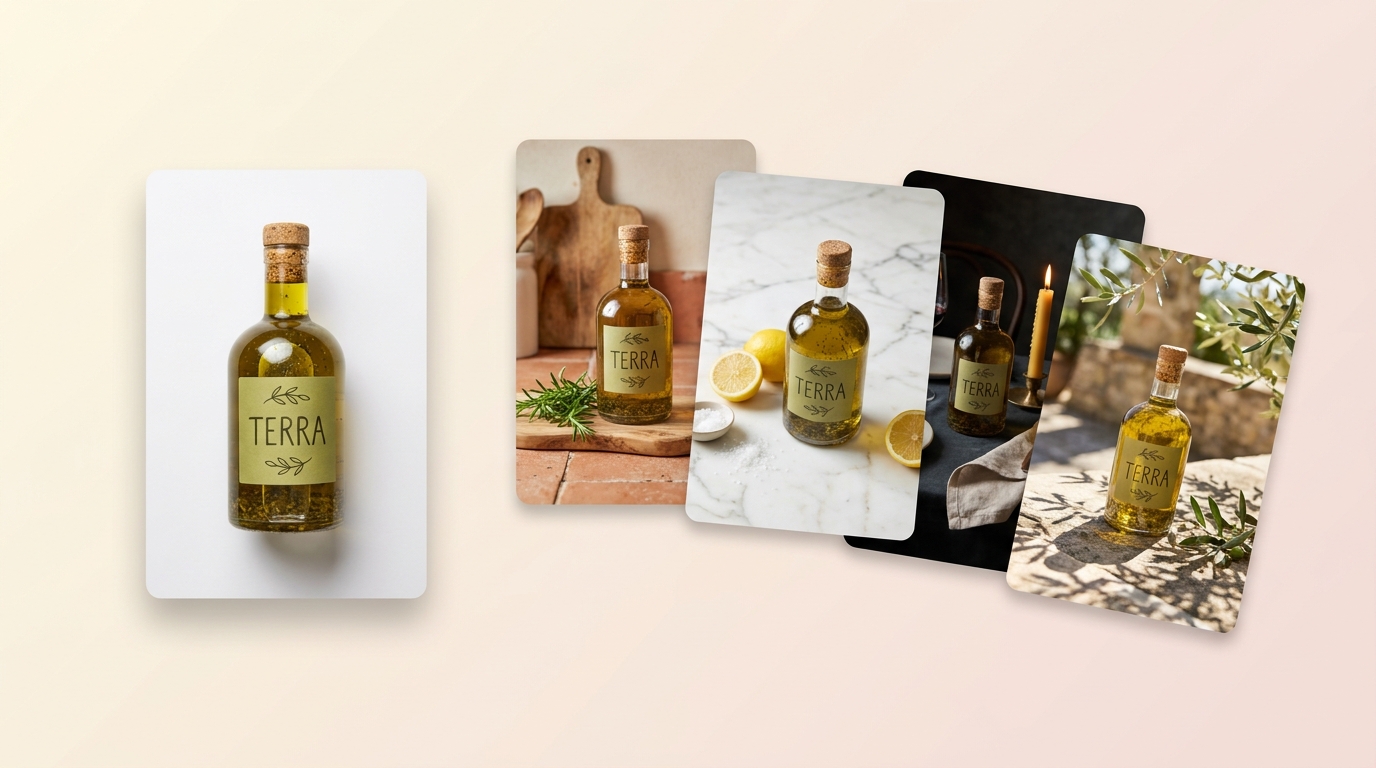
Modern models handle reflective surfaces, translucent materials, and complex textures well enough that the output is usable for product listings, social media, and advertising without retouching in most cases.
How Different Product Categories Use It
AI product photography works across every ecommerce category — any physical product that needs lifestyle imagery can benefit. The workflow adapts to what each category needs most.
Jewelry photography is a natural fit. Rings, necklaces, and earrings are small, well-defined objects that segment cleanly. The real challenge with jewelry has always been the styling — showing a necklace on a model, a ring on a hand against a textured background, or earrings in a lifestyle setting. AI handles this well because the product geometry is compact and the scenes are aspirational.
Fashion photography uses it differently. Flat-lay clothing and accessories translate well to AI scenes, and on-model photography lets you place garments on models in various poses and settings without booking a shoot. This is particularly useful for brands that need to show the same item across multiple styling contexts.
Beauty photography — skincare bottles, cosmetics, perfume — works well because these products have clean shapes and the lifestyle scenes (bathroom shelves, vanity tables, botanical settings) are exactly the kind of environments AI generates convincingly. Food photography is strong for packaged goods, beverages, and plated dishes where you want to show the product in a restaurant or kitchen setting. Home decor photography rounds it out: candles, vases, picture frames, and furniture pieces drop into room scenes effectively, helping customers visualize items in their own space.
Practical Tips for Getting the Best Results
The single most important factor in AI product photography is your input image quality. A sharp, well-lit source photo gives the AI everything it needs to produce stunning results. Here's what matters.
Lighting should be even and diffused. Natural light near a window works well. Avoid harsh direct sunlight that creates strong shadows, because those shadows will conflict with the lighting in the generated scene. The AI needs to see the product's true colors and surface texture to render it convincingly in a new environment.
Shoot your product in focus against a clean, uncluttered background. A plain white or light gray surface is ideal. The background doesn't need to be perfect — the AI will remove it — but a busy background with overlapping objects makes segmentation harder and can leave artifacts around edges.
Capture enough resolution. If you want 4K output, your input should be at least that resolution. Upscaling a small image before generation doesn't add detail — the product will look soft against a sharp background.
For products with fine details — lace, mesh, thin straps, filigree — detail preservation matters. Make sure those details are sharp in your source photo. The AI can only preserve what it can detect.
Finally, think about angles. A single front-facing shot gives you one perspective. If you want variety in your final images, upload multiple angles. Flyshot's product catalog lets you organize these by product and reuse them across different scenes without re-uploading.
How Flyshot Handles the Workflow
Flyshot is built around this exact pipeline. You upload a product photo, and the platform automatically removes the background. From there, you choose how to generate your scene. Style presets give you one-click access to common scene types — studio lighting, outdoor settings, seasonal themes — so you can produce a batch of consistent images quickly. For more control, editorial art direction lets you describe exactly what you want in natural language: "place this watch on a dark slate surface with warm side lighting and a blurred cityscape in the background." You steer the output through conversation rather than wrestling with parameters.
The workflow is designed for volume. E-commerce brands typically need dozens of images per product — marketplace listings, social ads, email campaigns, seasonal promotions. Flyshot lets you generate all of those from a single source photo, stored in your product catalog, without re-shooting anything.
Getting Started
AI product photography handles the work that used to require studios, stylists, and location shoots: placing products in lifestyle scenes, generating on-model shots, creating seasonal variations, and producing content at scale. For most ecommerce sellers, it replaces the most expensive and time-consuming part of the photography workflow.
All you need is one well-lit, in-focus photo of your product. Flyshot handles the rest — background removal, scene generation, and style consistency across your entire catalog. Whether you're launching a new product line or refreshing your existing listings, you can go from a single upload to a full set of lifestyle images in minutes.
If you're spending hours in Photoshop compositing products into scenes, or paying for studio time every time you need a new background, try Flyshot free and see the difference with your own products.